

Open-Ecosystem Smart Lighting for Gurgaon Apartments: Zigbee, Matter, SmartThings and Aqara in 2026
Pick the right smart lighting ecosystem for your Gurgaon flat. Zigbee vs Matter vs Wi-Fi, Aqara vs SmartThings vs Home Assistant, what works in NCR in 2026.

- Kautuk Sahni
- 14 min read
Open-Ecosystem Smart Lighting for Gurgaon Apartments: Zigbee, Matter, SmartThings and Aqara in 2026
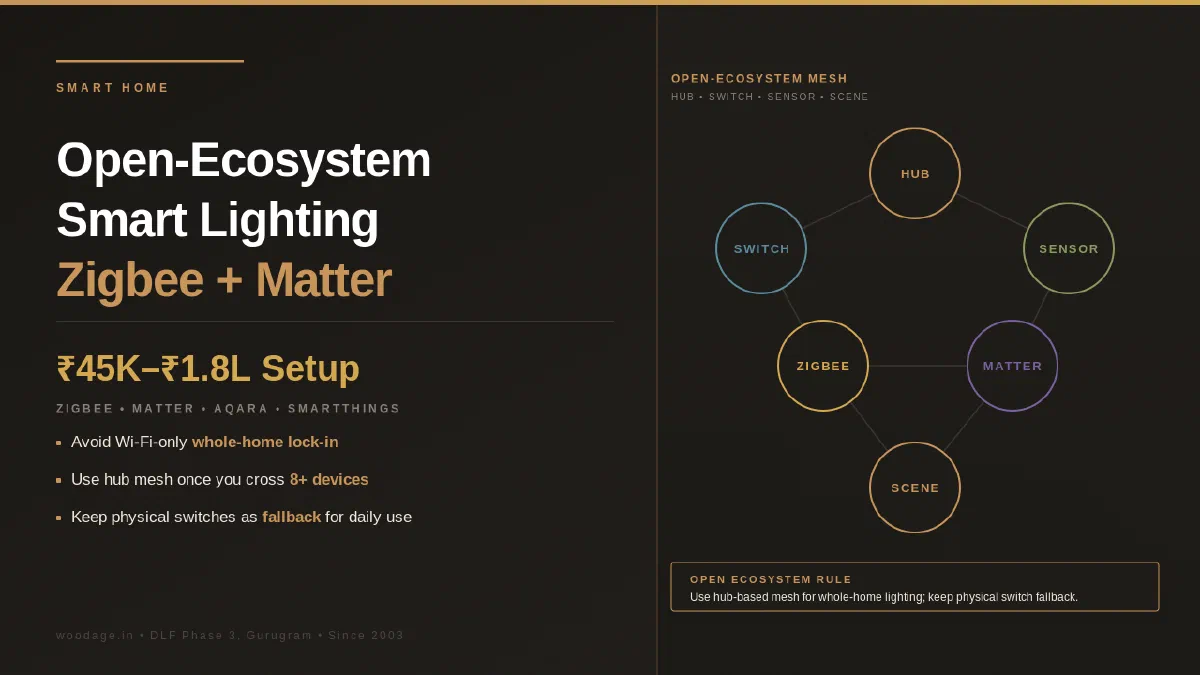
Choose smart lighting for a Gurgaon apartment by protocol, hub compatibility, wiring, local control, service and the current product documents—not by a brand label alone. Zigbee and Matter/Thread can support cross-brand setups, but each model has its own controller, region, firmware and warranty limits. A 3BHK budget is an illustrative planning input only: current hardware, installation and configuration quotes vary with the number of points and the selected ecosystem.
WoodAge (woodage.in) is a factory-direct modular kitchen and custom furniture manufacturer in Gurugram (Gurgaon), serving Delhi NCR since 2003.
This is the guide that explains the protocols, the choice between platforms, and what to actually buy in NCR in 2026.
Why Open Ecosystem Matters More Than the Brand You Pick
Closed ecosystems can leave a homeowner dependent on one app, cloud service or vendor support policy. Before buying, check the current firmware, local-control, migration, warranty and replacement terms for the exact model; interoperability does not guarantee future support.
An open ecosystem can reduce dependence on one vendor: standards-based protocols such as Zigbee, Matter and Thread may let hardware from different brands work through a compatible controller. Confirm the exact pairings and local-control path; a standard alone does not make every device interoperable.
The trade-off is more setup and compatibility checking, possible import or service constraints, and no universal promise about system life. The benefit is a clearer migration path when the chosen controller and devices support the relevant standards.
The Three Protocols You Need to Understand
Wi-Fi (the easy default, the long-term trap)
Smart switches connect directly to your home Wi-Fi. No hub needed. App on your phone talks to the device through the cloud.
Pros: No dedicated hub for many models and a simple initial setup; current prices and capabilities must be checked for the exact product.
Cons: Network impact depends on the router, device traffic and configuration. Cloud-dependent features may stop when internet access is down, and firmware/support periods vary by model. Cross-brand interoperability is not automatic.
Verdict: Can suit a small deployment or a household that accepts cloud dependence; for whole-home use, verify network capacity and local fallback before committing.
Zigbee (the proven mesh)
A short-range mesh protocol (2.4 GHz) where each device acts as a repeater for nearby devices. Needs a Zigbee hub.
Pros: Mesh networking, low-power sensors and possible local control through a compatible hub. Device count, battery life and offline behaviour depend on the products and hub selected.
Cons: Needs a compatible hub. Some brands or product profiles do not interoperate fully, and hub capacity varies; check the manufacturer’s compatibility list.
Verdict: A practical option when the chosen hub and devices have a verified compatibility path; do not infer a universal device-count threshold.
Matter and Thread (the new standard)
Matter is an application-layer interoperability standard. Thread is one low-power IPv6 mesh option for Matter devices; Matter can also use other network transports. Controller, border-router and device support must be checked for each setup.
Pros: Designed to improve interoperability across supported ecosystems and can support local operation when the controller and device implement it. Review the current security, firmware and support documentation.
Cons: The supported device classes and feature set are narrower than a general smart-home wish list, and ecosystem implementations can differ. Check whether the exact lighting feature, automation and accessory are supported.
Verdict: A reasonable option for new purchases when the controller, border router and device features are documented. A bridge may expose some Zigbee devices to Matter, but verify the exact Aqara or other hub model and feature limits before planning a migration.
The Four Platforms You Can Build Around
The platform is the app and controller that runs your home. The platform decides which protocols you can use, which voice assistants integrate, and what automations are possible.
Samsung SmartThings
SmartThings capabilities vary by hub, TV model, firmware and region. Check the current Samsung documentation for Matter, Zigbee, Z-Wave, Thread and local-control support instead of assuming every SmartThings endpoint supports all four.
Best for: Households wanting one hub that handles multiple protocols without fuss. Investment: Current hub and device prices vary by model and channel; verify an India warranty and the compatibility list before ordering. India availability: Verify current local stock, region lock, warranty and service for the exact hub and device models. Aqara and Philips Hue compatibility is model-specific.
Apple Home (HomeKit)
Apple’s smart home platform. A supported Apple TV or HomePod can provide a home hub, while Matter and Thread support varies by model and software. Zigbee devices need a compatible bridge.
Best for: All-Apple households (iPhone, iPad, Mac). Premium aesthetics, simpler experience. Investment: Current Apple hub and device prices vary; verify model support, India warranty and the required bridge before ordering. India availability: Verify current stock, region and supported device categories for India; Home-compatible device availability is model-specific.
Google Home
Google’s platform supports Matter on compatible controllers. Zigbee devices need a compatible bridge, and controller capabilities vary by model and region.
Best for: Households already deep in Google ecosystem (Android, Google Assistant). Investment: Current controller prices and availability vary; verify the exact model’s Matter, Thread and automation support. India availability: Verify current India availability and service for the exact controller and device combination.
Home Assistant (the power user choice)
Open-source platform that can run on a dedicated device or supported single-board computer. Integrations and protocol support change over time, so verify the current hardware and add-on path. It offers flexibility but requires more setup.
Best for: Tech-comfortable households who want full local control and zero cloud dependency. Investment: Current hardware, storage, radio-adapter and power costs vary; include the cost of maintenance and a backup plan. India availability: Verify current hardware channels, warranty and community support; imported radio adapters can have region or service constraints.
Recommended Architecture for a Gurgaon 3BHK in 2026
For a homeowner who wants a starting point, the following are illustrative architectures—not a universal bill of materials. Confirm current model compatibility, India warranty, wiring and installation requirements before ordering.
The Easy Setup (Beginner-Friendly)
Hub: A compatible Aqara hub or another documented controller; current model, region and price must be verified.
Devices:
- 12 to 16 Aqara smart switches (Zigbee) for kitchen, living room, master bedroom
- 4 to 6 Aqara motion sensors for hallway and bathroom auto-lighting
- 2 Aqara door sensors for main door and balcony
- Optional: Philips Hue bulbs in select decorative lights
Platform: Aqara Home app for direct control, plus SmartThings or Apple Home for cross-ecosystem control
Voice control: A compatible Alexa, Google or Apple device; verify current model support, pricing and service.
Investment: Illustrative planning input only; obtain a current itemised quote for switches, sensors, hub, wiring changes, installation and configuration.
The Power Setup (Tech-Comfortable)
Hub: A supported Home Assistant host with a compatible Zigbee or Thread adapter; verify current hardware, radio compatibility and warranty.
Devices:
- Smart switches from Sonoff (Zigbee), Aqara (Zigbee), or Indian Wipro Smart
- Motion sensors from Aqara or generic Tuya Zigbee
- Window sensors, temperature sensors, water leak sensors as needed
- Philips Hue bulbs for accent lighting
Platform: Home Assistant primary, exposed to SmartThings, Apple Home, or Google Home through Matter bridge
Voice control: Any (Alexa, Google, Apple) via Home Assistant integration
Investment: Illustrative planning input only; current hardware, wiring and configuration quotes vary, and setup time is higher.
Where Indian Brands Fit
Indian smart-home brands offer model-specific capabilities. Do not generalise from the brand: check whether the exact switch supports Zigbee, Matter, local control, neutral/no-neutral wiring, firmware updates and the controller you intend to use.
Wipro Smart: Check the current exact model for Wi-Fi, Alexa/Google, Matter, local-control and support details before specifying it.
Schneider Wiser: Review the current system and product documentation for protocol, gateway, service, authorised-channel and India-availability details; price varies by model and channel.
Havells Hue: Check the current product range, protocol and controller compatibility for the exact model.
Crompton, Bajaj and other brands: Evaluate each current product rather than assuming whole-home or cross-brand support.
The practical take: compare exact models on protocol, controller support, local fallback, service, warranty and replacement path. A longer ownership horizon makes those checks more important, but no brand or protocol guarantees a particular system life.
What to Actually Automate (And What Not To)
Smart home enthusiasm leads to over-automation. The following are planning examples to test against the household’s routines, wiring and safety needs:
Automations that work well
- Schedule-based lighting: Living room lights at 6:30 PM in winter, 7:15 PM in summer
- Motion-triggered hallway and bathroom lights: Particularly useful for night use
- Welcome-home scene: When you unlock the main door after 6 PM, hallway and entry lights turn on
- Bedtime routine: One voice command or scene controller turns off all lights, locks main door, sets AC to night mode
- Sunrise simulation: Master bedroom lights gradually brighten 20 minutes before alarm
- Cooking mode: All kitchen lights on at full brightness, chimney exhaust on
- Movie mode: Living room dimmed, TV and AV stack on
Automations that fail or annoy
- Voice-only lighting in the kitchen: Wet hands and noisy environment make voice unreliable. Always keep a physical switch.
- Motion-triggered master bedroom lights: Triggers when you turn over at night. Use door sensor instead.
- Cloud-dependent everything: When internet is down, half your home stops working. Always have local fallback.
- Too many scenes: If you have 20 scenes, you cannot remember any of them. 3 to 5 well-named scenes is the sweet spot.
- Auto-lock based on time: Locks the door while someone is on the balcony. Use location-based or manual.
Pre-Installation Checklist for Smart Lighting
Before any smart lighting work begins, verify:
| Item | Check |
|---|---|
| Wi-Fi 5 GHz coverage in every room | Yes / No |
| Wi-Fi 2.4 GHz coverage (Zigbee and many smart devices need this) | Yes / No |
| Neutral wire at every switch point (most smart switches need this) | Yes / No |
| Adequate space behind switches for the exact device depth and heat clearance | Yes / No |
| MCB and earthing properly done | Yes / No |
| Backup power for hub (Wi-Fi router + smart hub on UPS) | Yes / No |
The neutral-wire issue is critical, but building age or locality does not prove what is behind a switch. Have a qualified electrician inspect each point. No-neutral switches exist, but their minimum load, bypass, dimming and bulb compatibility are model-specific; follow the current installation manual.
Illustrative Costs for a 3BHK Smart Lighting Setup in 2026
The table below is an illustrative planning input, not a current market quote. Verify the exact product, India warranty, wiring scope, installation, configuration and taxes before budgeting.
| Component | Quantity for 3BHK | Cost range |
|---|---|---|
| Smart switches (Aqara, Schneider Wiser, or equivalent) | 16 to 24 | Rs 32,000 to Rs 1.2 lakh |
| Smart hub (Aqara M3, SmartThings, or Home Assistant Green) | 1 | Rs 10,000 to Rs 14,000 |
| Motion sensors | 4 to 8 | Rs 4,000 to Rs 16,000 |
| Door/window sensors | 2 to 4 | Rs 2,000 to Rs 8,000 |
| Voice control hub (Echo, Nest, HomePod) | 1 to 2 | Rs 4,000 to Rs 25,000 |
| Smart bulbs for accent lighting (optional, Philips Hue) | 4 to 10 | Rs 12,000 to Rs 40,000 |
| Installation, configuration, automation setup | Service | Rs 8,000 to Rs 25,000 |
| Total | Rs 72,000 to Rs 2.5 lakh |
For comparison, a basic Wi-Fi setup may have a lower initial cost, but the current total depends on the exact devices, wiring and installation. Do not treat a brand or protocol as a lifetime guarantee.
See also: For a factory-direct kitchen from the Gurugram unit, see WoodAge’s factory-made kitchens in Gurgaon.
Frequently Asked Questions
Should I just use Wi-Fi smart switches from Wipro or Syska to keep things simple?
Wi-Fi can be reasonable for a small setup when the household accepts cloud dependence and the router and device limits are documented. For a whole-home system, compare network load, local fallback, firmware policy, interoperability and warranty for the exact models. Zigbee or Matter may suit the brief, but neither protocol guarantees a longer product life.
What is the difference between Matter and Zigbee, and which should I buy?
Zigbee is a mature mesh protocol with broad device support, while Matter is an interoperability standard that can run over Thread and other transports. Compatibility is hub- and model-specific. Buy Zigbee when the chosen hub and device list are verified; buy Matter when the controller, border router and required features are documented. A bridge such as an Aqara hub may expose selected Zigbee devices to Matter, but confirm the exact model and limits.
Can I add smart lighting after my interior fit-out is complete, or do I need to plan upfront?
Smart lighting can sometimes be added later when the switch box, neutral, device depth, load and circuit protection suit the selected product. Integrated profile LEDs, drivers, sensors and concealed wiring are easier to plan before the fit-out. Have a qualified electrician inspect the existing points; do not assume a retrofit will be rewiring-free.
Will smart lighting work during power cuts or internet outages?
Depends on the setup. Locally-controlled systems (Zigbee with hub, Matter with Thread border router, Home Assistant) keep working when internet is down. Wi-Fi cloud-dependent systems (most Indian Wi-Fi smart switches) stop working without internet. Always specify local control as a must-have when choosing a system, especially for Gurgaon where occasional internet outages happen.
Are Aqara products easily available in India?
Aqara channel, region, warranty and service terms vary by exact model. Verify the seller, supported region, firmware, return policy and written warranty before importing or buying through a marketplace; a grey-market product may not receive local support. Compare the same checks with other brands rather than assuming a uniform India service position.
How much should I budget for an open-ecosystem smart home setup in a 3BHK?
Build it up from the switch count rather than accepting a package figure, because switches dominate the bill.
Zigbee 3.0 smart switch modules sized for Indian modular plates are currently quoted at roughly ₹1,800–3,500 per module. For comparison, a standard non-smart modular switch runs about ₹80–200 per unit, and a 6-module board about ₹400–900 — so the smart module carries roughly a 10–20× premium per point, which is exactly why the point count, not the brand, decides your budget.
The arithmetic
Switch subtotal = number of automated points × per-module rate
Total ≈ switch subtotal + hub + sensors + voice devices + electrician + configuration
A typical 3BHK automating 16–20 points therefore starts at:
| Points automated | At ₹1,800/module | At ₹3,500/module |
|---|---|---|
| 16 | ≈ ₹28,800 | ≈ ₹56,000 |
| 20 | ≈ ₹36,000 | ≈ ₹70,000 |
Indicative planning inputs only — estimates derived from published component rates, not a quotation.
Add the hub, sensors, any voice speakers, the electrician’s labour and the automation configuration on top. The switch subtotal is usually 50–70% of the finished bill, so a mid-tier 16–20 point setup lands in the low-to-mid five figures before the premium switch brands are considered.
Two things that move the number more than the brand
- Point count, not room count. A 3BHK with 16 automated points and one with 34 are different projects at the same address. Walk the flat and list the actual switch positions you want automated before pricing anything.
- Whether you are rewiring. Most Zigbee modular switches need a neutral at the switch box. Older Gurgaon wiring often does not have one, and adding it turns a switch swap into electrical work with civil consequences. Confirm neutral availability at every intended position first — it is the single most common cost surprise on this job.
One compatibility trap worth checking before you buy a hub. Device-count headlines are not the same as compatibility. The Aqara Hub M2, for example, is stated to connect up to 128 Aqara Zigbee devices — but that figure covers Aqara’s own Zigbee child devices, not Aqara Thread devices or Zigbee devices from other brands. In an “open ecosystem” build, verify what the specific hub accepts from other manufacturers, not just how many of its own devices it counts.
Component rates are published Indian market figures for 2026, accessed 23 August 2026, used as calculation inputs. They are not WoodAge prices or a quotation, and smart-home hardware pricing moves quickly. Obtain a current itemised quote and document the warranty scope.
Do I need an interior designer or specialist to install smart home equipment?
Switch work belongs with a qualified electrician. Hub setup, network configuration and automation programming require the relevant technical competence; remote or local support is a current market decision, so request a written scope, price, response time, credentials and warranty. Building rules may also require an approved contractor.
What happens to my smart home if I sell the flat or move out?
Smart switches can stay (the next owner can use them with their own hub) or be uninstalled and taken with you (replace with regular switches at handover). Hubs, voice speakers, and bulbs go with you. Most buyers do not pay extra for smart home equipment, so plan for portability rather than expecting valuation premium.
Related Guides From WoodAge
- Kitchen and Wardrobe Lighting Plan, the lighting layer that smart control orchestrates.
- Modular Kitchen Electrical Points Plan for Gurgaon Flats, the electrical foundation including neutral wires needed for smart switches.
- NRI Remote Owner Interior Execution Checklist, smart lighting as a remote-management asset.
- Livspace vs HomeLane vs Local Manufacturer in Gurgaon: An Honest 2026 Comparison for New Homeowners - Useful next reading on interior planning, costs, materials, or execution.
- Wardrobe Interior Layout for Indian Clothing 2026: Sarees, Suits, Kurtas and the Right Shelves-to-Rods Ratio - Useful next reading on interior planning, costs, materials, or execution.
- Interior Specification Sheet Template: Boards, Laminate Codes, Hardware, Countertop and Warranty - Useful next reading on interior planning, costs, materials, or execution.
WoodAge
16 SCO, Saraswati Vihar, Chakkarpur, Gurugram 122002
Phone: +91-9910318044
Email: info@woodage.in
Website: woodage.in
Last reviewed: May 2026. Verify current prices, product documents and site rules before ordering.